A call tree that works on the page itself.
A fictional tracing tool for LLM apps, and its self-serve sign-up site.
tracelayer · Studio concept

- Direction
- Deep Trace
- Measured
- 100 / 100 / 100 / 100Lighthouse, all 6 pages524–645 msLCP, min–max0CLS, max
2026-10-09 · lab run, not field data · Lighthouse 13.4.1, desktop preset · scores: performance / accessibility / best practices / SEO Full conditions
A fictional tracing tool for LLM apps, and its self-serve sign-up site.
- Direction
- Deep Trace
- Measured
- 100 / 100 / 100 / 100Lighthouse, all 6 pages524–645 msLCP, min–max0CLS, max
2026-10-09 · lab run, not field data · Lighthouse 13.4.1, desktop preset · scores: performance / accessibility / best practices / SEO Full conditions
The brief
In an LLM app, tracelayer traces every request: the call tree, latency at each step, tokens, cost, inputs and outputs. One line of initialization in the Python or TypeScript SDK wraps existing code. The site had to answer developers who expect half a day of setup and nothing their logs don't already show.
- Product
- Tracing for LLM apps: SDK, REST API and a web dashboard
- Audience
- LLM-app developers; early-stage CTOs; infra-team skeptics
- Site's job
- Sign up and get an API key, self-serve
Studio concept: the company and the numbers on its site are fictional too.
Deep Trace
Chosen because the required hero — a live, interactive trace — also becomes the idea of the whole site: the “layers” of the name organize the page's depth, and light encodes cost and latency rather than mood. The accent is rationed, so the dark ground reads as an instrument, not the niche's default dashboard. Signature: the live call tree, with a piece of it opening every inner page.
Directions drawn
- Deep Trace (chosen)
- The Cost Ledger
- Live Current
- Schematic
Key decisions
The trace is a tree with depth, not a row of cards.
Why
A root request, four calls and a nested tool on three tiers. Five equal cards in a row would read as a pipeline and contradict “nested calls, not flat events.”
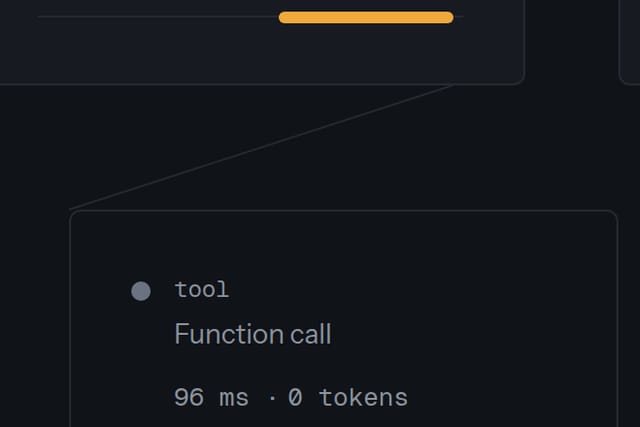
The tree breaks the grid, and nothing else does.
Why
On a wide screen the trace zone is wider than the text column — the one place the layout steps out, because that is where the product is.
A layer rail runs down the left of every page.
Why
Each major section is a layer, numbered L0, L1 and so on from the page's real structure: the product's name, made visible.
The pricing page opens on “every feature, every plan”.
Why
Its first screen shows the claim that sets the pricing apart and its proof, the shared feature list — not a row of prices.
Craft you can check
JavaScript off
The trace still opens node by node, because each node is a native disclosure element.
Tab through the trace
Each of the five call nodes takes focus and expands with Enter.
The depth field
On the home page it is WebGL with a canvas fallback, loaded after the page. Without JavaScript, with reduced motion, data saver or a 2G connection, you get its static final frame.
The sign-up form
It validates and shows success, but the email and password fields have no name attribute, so nothing leaves the page: “Demonstration site — your sign-up isn't sent.”
The numbers, with their conditions.
- Pages measured
- 6
- Lighthouse — performance / accessibility / best practices / SEO, every page
- 100 / 100 / 100 / 100
- LCP, min–max
- 524–645 ms
- CLS, max
- 0
- TBT, max
- 0 ms
- Site weight (JS · CSS · fonts)
- 379.9 KB (44.4 · 62.6 · 169.0)
- axe violations
- 0
- Console errors
- 0
- Without JavaScript: hidden content / dead forms
- 0 / 0
- Overflow sweep: points checked / overflows found
- 816 / 0
Conditions. Measured 2026-10-09 on the site's current build, every page, with the same tool versions as the other two case studies: Lighthouse 13.4.1, desktop preset (its desktop emulation and throttling); axe-core 4.12.1; Chromium via playwright-core 1.62.1; the site served from a local static server; Ubuntu 24.04 in WSL2. This is a lab measurement of the build, not field data from visitors.
Without JavaScript means the same page with JavaScript turned off. Hidden content: a text block that is visible with JavaScript and invisible without it. Dead form: a form that can't be submitted through to its result without JavaScript.
Overflow sweep: widths from 360 to 1440 px in 8 px steps on every page; one point is one page at one width.
Check it yourself: open the live site in PageSpeed Insights and choose Desktop — expect different values, because a public test adds the host's server and network. To repeat the no-JavaScript pass in Chrome, open DevTools, press Ctrl+Shift+P (⌘⇧P on a Mac), run “Disable JavaScript” and reload.
Open the live site tracelayer-bz5.pages.dev Its footer carries the same studio-concept note.
Other breakdowns
Start with one email.
Replies within one working day.